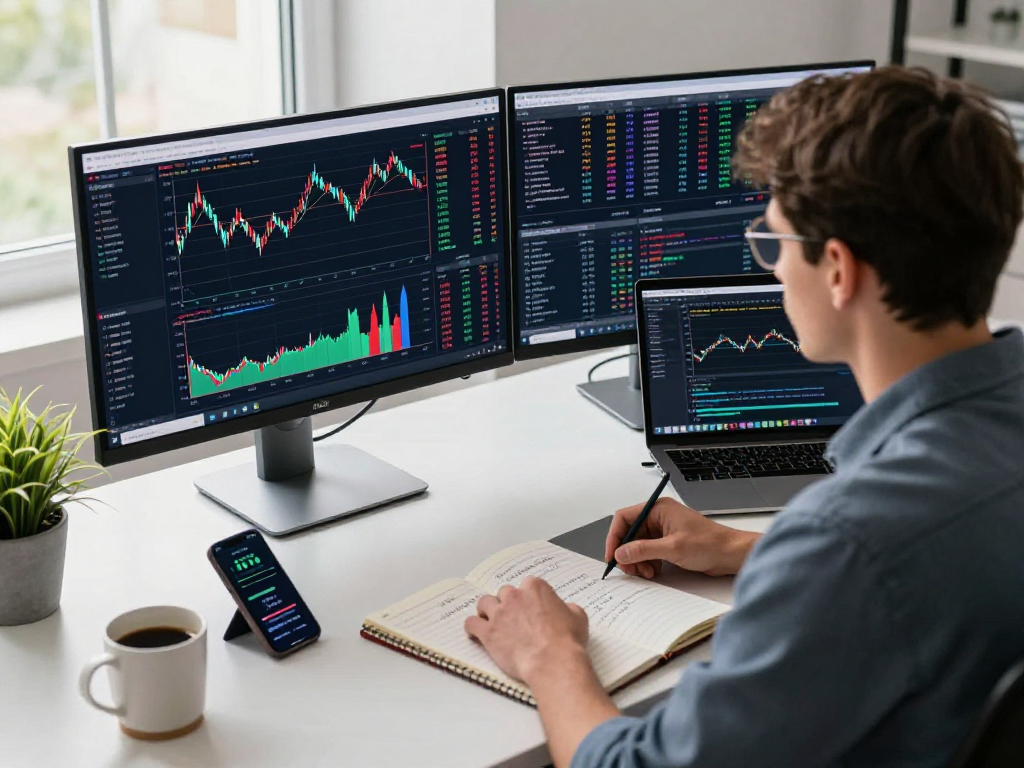
Overview of TradingView Functionality
TradingView is a powerful platform designed for traders and investors to analyze market trends and make informed decisions. Its capabilities extend far beyond mere price charts; it integrates multiple markets into one ecosystem, providing professional-grade tools for charting, alerts, and data interpretation. When exploring options, TradingView offers comprehensive insights that cater to both novice and seasoned traders alike, fostering a more sophisticated trading experience.
What is TradingView?
Founded in 2011, TradingView has quickly established itself as a leading platform in the financial markets, offering innovative solutions that simplify the trading process. It provides users with extensive market data, charting capabilities, and social networking features to connect with other traders. Whether you are interested in stocks, cryptocurrencies, or forex, TradingView supports a diverse range of asset classes, making it a versatile choice for various trading strategies.
Key Features and Benefits
TradingView is packed with features that enhance the trading experience. Among its most notable tools are:
- Advanced Charting Tools: Users can create intricate visualizations with various chart types, indicators, and overlays that help identify potential trading opportunities.
- Real-time Market Data: Access to up-to-the-minute data ensures users are never behind on market movements.
- Custom Alerts: These alerts notify traders when specific conditions are met, enabling timely decision-making.
- Cross-Platform Access: Available on desktop, web, and mobile devices, TradingView ensures that users can track their trades anywhere, anytime.
User Interface and Experience
The user interface of TradingView is intuitive and user-friendly, which is critical for traders at all skill levels. The layout can be customized, allowing users to arrange tools according to their preferences. Furthermore, the platform fosters community engagement through features such as public chat rooms and the ability to share analyses and ideas, making it a socially interactive experience.
Chart Analysis Capabilities
Understanding Chart Types on TradingView
TradingView offers various chart types, including line, bar, and candlestick charts, each serving a specific purpose in visualizing price movements. Candlestick charts are particularly popular among technical analysts due to their ability to provide information about price action over time, including open, high, low, and close prices. Users can switch between different chart types seamlessly to suit their analytical needs.
Technical Analysis Tools Available
Technical analysis relies heavily on the tools available for traders to interpret market data. TradingView includes a plethora of indicators—such as Moving Averages, Relative Strength Index (RSI), and Bollinger Bands—that traders can overlay on their charts. These tools aid in identifying market trends, determining entry and exit points, and crafting strategies informed by data rather than emotion.
Customizing Your Charting Experience
One of the standout features of TradingView is the ability to customize chart layouts. Users can save multiple layouts, apply different color schemes, and create templates tailored to specific trading styles or asset classes. This level of customization empowers traders to develop unique setups that can help enhance their performance.
Trading Alerts Mechanism
How TradingView Alerts Work
Alerts in TradingView are designed to reduce the burden of constant market monitoring. Traders can set alerts based on price levels or technical indicators, ensuring they receive notifications when specific market conditions are met. This feature is especially beneficial for those who cannot dedicate constant time to market analysis.
Setting Up Price and Condition Alerts
To create an alert, users can define the conditions that need to be fulfilled, such as crossing above or below a specific price point. These alerts can be received via email, SMS, or through the platform itself, providing flexibility in how traders stay informed. Additionally, alerts can be set for multiple assets, allowing for comprehensive portfolio management without the constant need for manual checking.
Benefits of Utilizing Alerts for Trading Strategy
Incorporating alerts into a trading strategy can streamline the decision-making process. By automating notification processes, traders can focus on analysis and strategy development instead of being tied to their screens. This not only enhances efficiency but also helps in emotional management during trading, as it reduces the chances of impulsive actions based on panic or excitement.
Cross-Device Functionality
Using TradingView Across Different Platforms
TradingView's versatility is amplified by its cross-device functionality. Whether using a desktop, a web browser, or a mobile app, users can access their accounts seamlessly. This feature is crucial for traders who may need to monitor their positions on the go or while multitasking.
Natural Synchronization of Data
Data synchronization across devices is one of TradingView's core strengths. Changes made in one environment, such as saved chart layouts or set alerts, are automatically updated across all devices, ensuring consistency and efficiency. This synchronization enables a fluid trading experience, where users can switch between devices without losing any critical information.
Benefits of Multi-Device Access
The ability to access TradingView from multiple devices empowers traders to stay connected to the markets at all times. This flexibility is advantageous for day traders who may need to act quickly based on market movements or news updates. Furthermore, it allows users to collaborate easily with other traders by sharing insights and analyses in real time.
FAQs about TradingView Services
Is TradingView suitable for beginners?
Yes, TradingView is highly suitable for beginners due to its user-friendly interface and comprehensive resources, including educational materials and community support. New traders can quickly learn the basics of charting and technical analysis while leveraging the platform's tools.
What subscription plans are available?
TradingView offers a variety of subscription plans, ranging from a free version with basic functionalities to paid plans that unlock advanced features and additional data. Users can select a plan that best fits their trading needs and financial capabilities.
Do I need to install software for TradingView?
One of the significant advantages of TradingView is its cloud-based nature. Users can access the platform directly through a web browser, without needing to install any software. However, for those who prefer more advanced features, desktop clients for Windows, macOS, and Linux are also available, providing additional functionality.