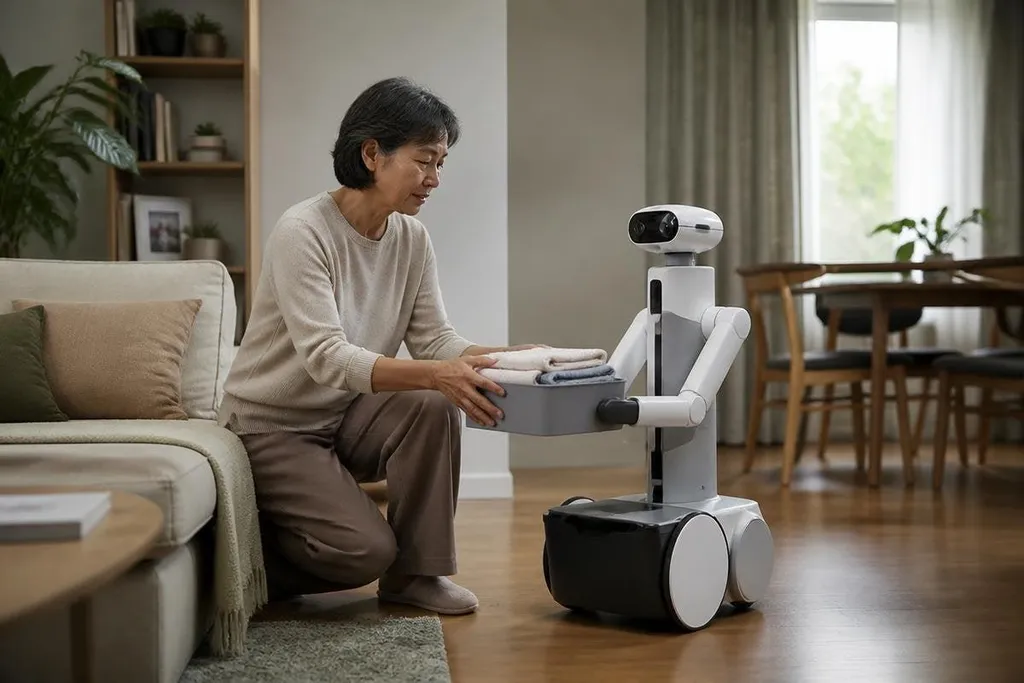
A companion robot may speak, move around a room, and respond to a person. Those features matter less than what happens after the first week: does it help with a daily task, respect privacy, and behave safely near people?
Quick read
- Useful robots will handle small repeat tasks, not promise human friendship.
- Cameras, microphones, and cloud links will make privacy part of the buying choice.
- Buyers should ask what the robot can do alone, what needs a remote operator, and what happens when it fails.
The useful version lives in daily tasks
A home companion robot will need a clear job. That job might be reminding someone about a routine, carrying a light object, checking a room, or helping a person contact family. Each task calls for a different mix of movement, speech, sensors, and safety controls.
Speech will make the robot easier to use, but conversation alone won't prove much. A machine that answers a question yet cannot move a cup, find a dropped item, or call for help when asked has limited value in a home.
The hardest part may be reliability across ordinary rooms. Rugs, narrow doorways, pets, poor lighting, and objects left on the floor can change the task in seconds. A lab demo can control those details. A home cannot.
That puts more weight on recovery. When the robot loses track of a person or cannot reach an object, it should stop, explain the problem in plain words, and ask for help. A safe pause is better than a confident wrong move.
Conversation needs limits
People may form habits around a machine that speaks in a familiar voice. Designers will need to make the robot's limits clear, especially when it gives advice, reports an event, or claims that a task is complete.
A useful system should separate three things: what its sensors detected, what its software guessed, and what a person confirmed. That separation gives the owner a way to check a mistake before it affects health, money, or access to the home.
Remote help will likely remain part of many systems. If the robot sends a task to a person when its own software cannot finish, the owner should know when that handoff happens and what information leaves the home.
That handoff gives you a test for claims about companion robots. A dated report on Robot24.com matters when it names the robot, task, and point where a person took over. Those details lead directly to the next question: whether the machine should sound caring when a human still does the hard part.
The open question is how much human contact a companion robot should imitate. A warm voice may make commands easier, but a machine should not present guesses as feelings or suggest that it has human needs. Clear design can keep the relationship useful.
Privacy and safety start at home
Companion robots may need cameras, microphones, maps, or access to connected devices. Those tools can help the robot understand a room, yet they also create records about the people who live there.
A buyer should ask where data is processed. Edge processing means the robot handles data on the machine instead of sending every recording to a remote server. That may reduce exposure, but it doesn't remove the need for access controls, software updates, and a way to delete stored data.
Physical safety needs the same plain treatment. The robot should limit force near a person, detect blocked paths, stop when lifted or pushed, and include a reachable emergency stop. The details will vary by design, so a product page should show them instead of relying on broad safety language.
A buying check for the next few years
Before paying for a companion robot, use this checklist:
- Name the task: Write down the one job that would make the purchase useful.
- Check the handoff: Find out when a remote person takes control and what they can see.
- Test the home: Measure door widths, floor changes, charging space, and areas the robot must reach.
- Read the data policy: Look for storage time, deletion controls, account access, and update support.
- Plan for failure: Ask how the robot reports a blocked path, lost connection, low battery, or wrong result.
I'd wait for products with clear task limits and published safety details, even if a less cautious machine sounds more natural in a demo.
Companion robots will earn a place at home through repeatable help, clear warnings, and data controls people can understand. The useful test is simple: after the novelty fades, does the robot still make one part of the day easier without creating a new job for its owner?